MiniMe: A Build-Your-Own Character App
Software Developer, Product Designer | April 2025 | Swift, Procreate
Programming and designing a customizable avatar app for users to create a mini version of themselves using my original illustrations.
About
The Opportunity
Growing up, I loved games that let me create and customize my own characters. For my software development course, I wanted to recreate that sense of creativity and self-expression through an interactive app of my own.
MiniMe is a character customization app that explores how thoughtful UX design and programming can make even simple interactions feel intuitive, engaging, and fun.
Background
Functionality Meets Fun
Many beginner programming projects prioritize functionality over experience, resulting in apps that work but fail to engage or entertain users. This project explored how thoughtful interface design and Swift development could come together to create something both interactive and enjoyable. By combining creativity with programming, Mini Me transformed a simple character creator into an experience centered around self-expression and play.
Research
Finding Inspiration From Similar Products
Before designing Mini Me, I researched popular character customization games to understand what makes them engaging and gather inspiration.
I looked at Picrew and Animal Crossing, paying close attention to their customization options, visual hierarchy, and navigation patterns. Here’s what I found:
Organize customization into clear categories (color coordination helps!)
Visual feedback once the character is finished improves the experience
Offer enough variety to encourage creativity without overwhelming the user

Animal Crossing Character Builder
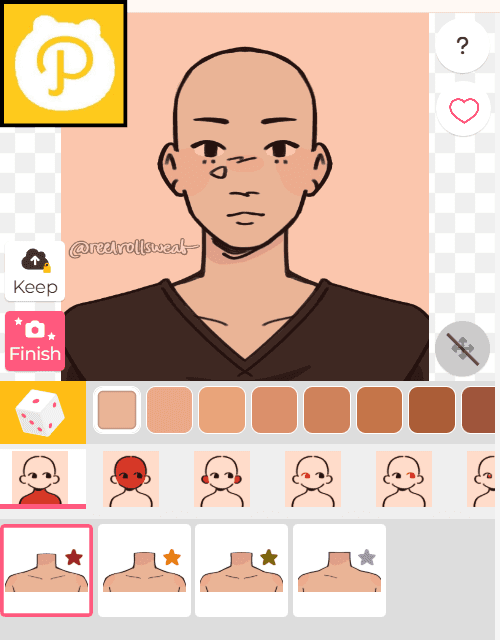
Picrew Character Builder
Peer Interviews
To better understand user expectations, I asked my classmates which customization features they would want in a character creator. Their feedback highlighted the essentials and informed the foundation of my designs.
01 A Range of Skin Tones
Allows users to create characters that feel authentic and representative of themselves.
02 Accessories for Personality
Utilize the limited space of the character-design screen by adding extra accessories (halos, freckles, glasses, etc.)
03 Hair Type Options
Incorporate a range of hair types to reflect identities and personal styles
Ideate
Creating Early Designs and User Flows
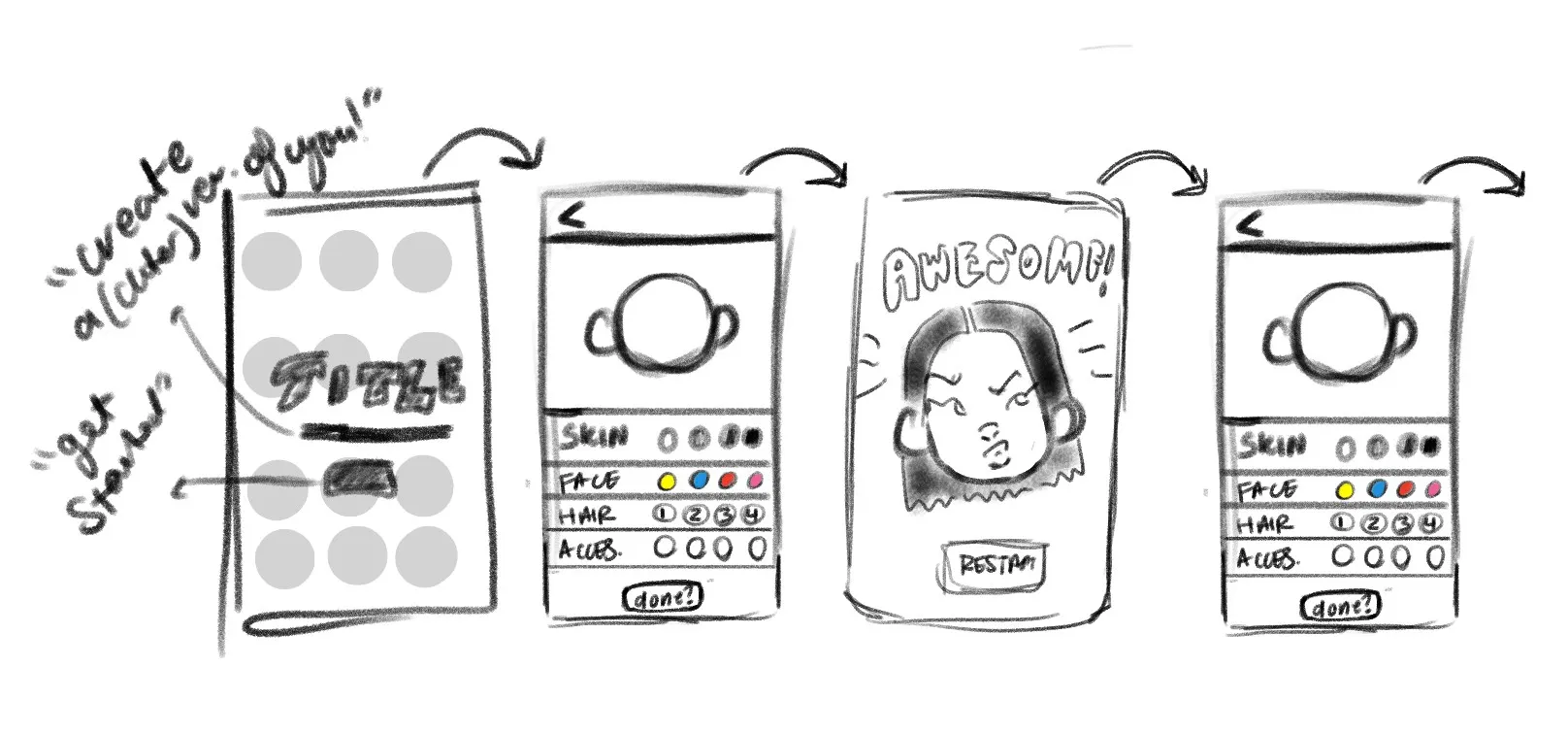
In this ideation stage, I focused on mapping a smooth customization journey from start to save. I created low-fidelity wireframes to explore layout structures and establish a clear interaction flow for avatar customization.
Design Decisions:
Color coordinated categories to create visual hierarchy and guide users naturally through the process
Minimize unnecessary steps and maintain a sense of seamlessness using just three screens
Centered, hierarchical layout for mobile usability and intuitive navigation

The Solution
Programming Functional UX and Fun Visuals
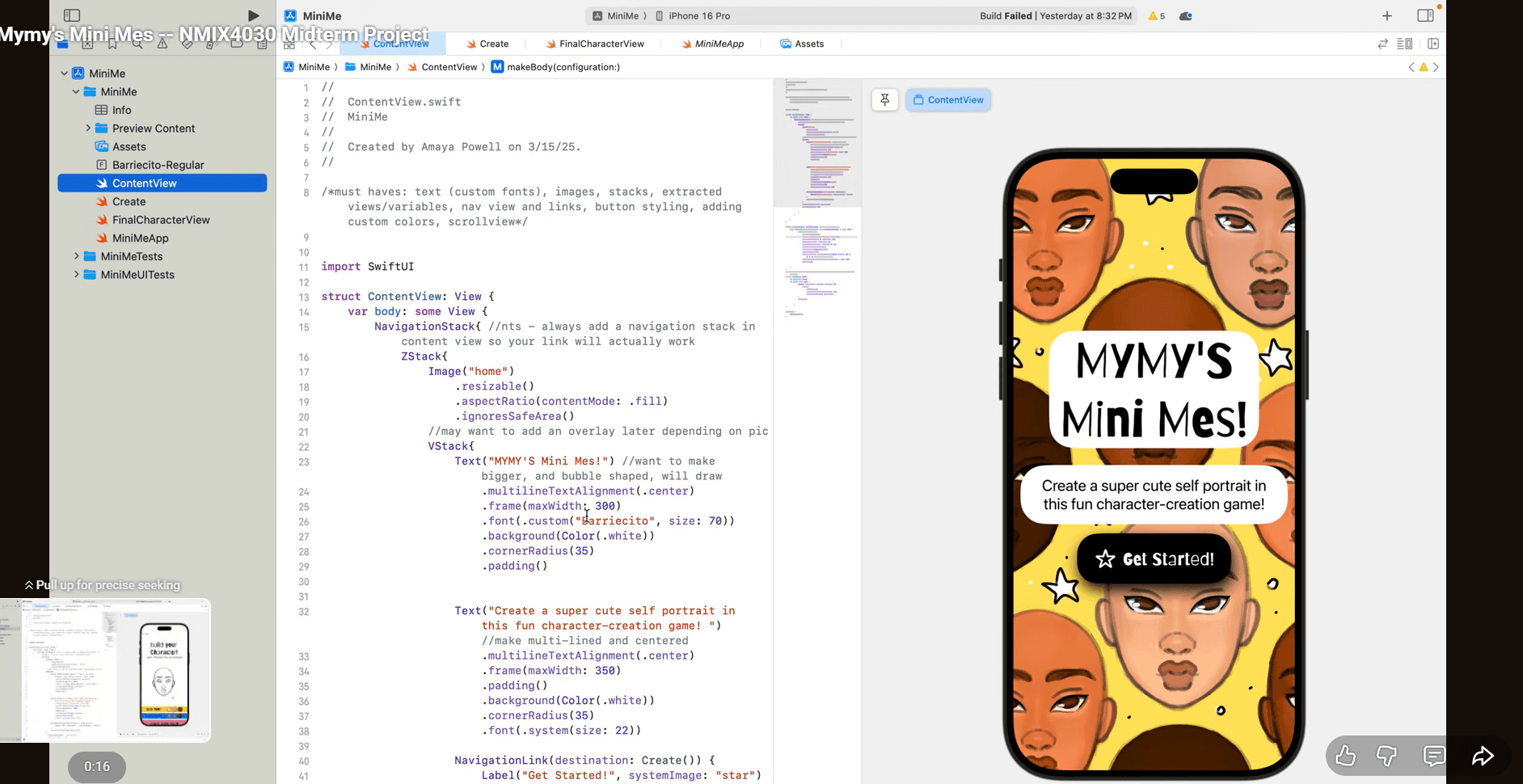
To bring MiniMe to life, I focused on translating my visual designs into seamless experiences through Swift. I programmed responsive interactions that made the customization feel fluid and intuitive.
Programming Process:
Applied course concepts including variables, state & binding, stacks, buttons, and structs to bring the app to life
Designed and integrated custom assets created in Procreate
Used loops and boolean logic to manage interactivity and conditional features
Developed a multi-view flow to store and display user input.


Reflection
Where Creativity Meets Code
Building this project challenged me to grow both creatively and technically, and this cross-disciplinary experience strengthens my capabilities as a UX Designer. I learned to combine engaging visuals with truly functional, user-centered design and utilize my strong foundation in design principles and programming.
Next Steps
If I redid this app, I would add more customizable options and add more interaction states. I would also use my new knowledge in motion design to make the app more engaging.